 My Battery
Battery care for Android
Unplug at 80%, without thinking about it.
My Battery watches while your phone charges and gives you a gentle nudge at your limit. Everything stays on your phone: no account, no ads, no internet.
Free. Android 8.0 and newer.
 My Battery · now
- Free, no ads
- No account
- No internet permission
- Works with your phone's own limit
- Light and dark
Why 80%?
Your battery is happiest below full.
Phone batteries wear a little with every charge, and they wear faster when they sit at 100% for hours, especially when they are warm. Stopping around 80% most days is one of the easiest ways to keep yours healthy for longer.
It is the same idea behind the charge limits phone makers now build in. My Battery makes the habit easy on any phone, and leaves you free to charge to 100% when you need it.
Good habits, in short
- Unplug around 80% on most days
- Keep it cool while charging: no pillows, no sun
- Charge to 100% when a long day needs it; that's fine
- Overnight? Let your phone's own limit hold it
Features
One small job, done kindly.
My Battery does one thing: it tells you when to unplug. Everything else is there to make that gentle.
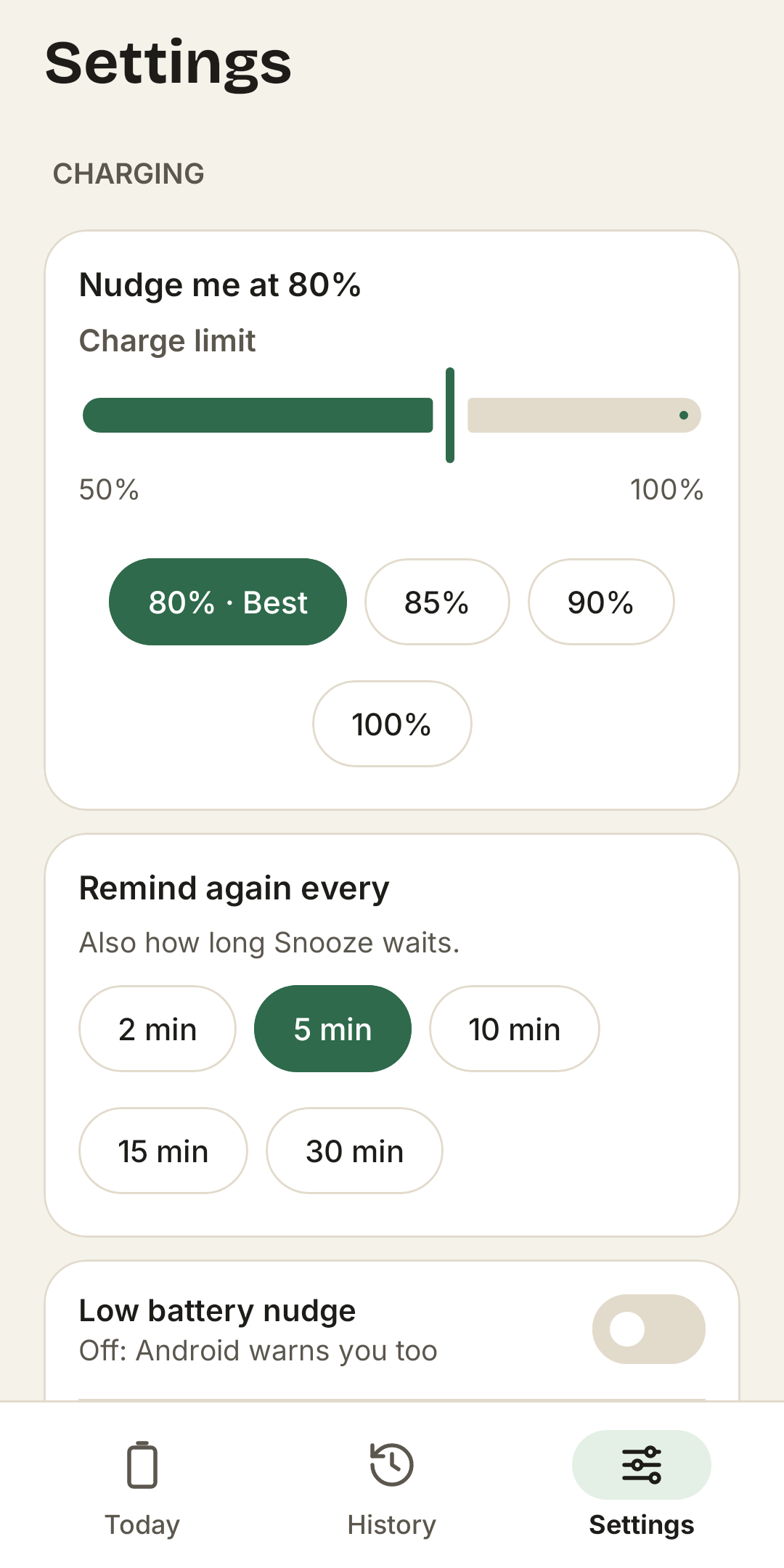
A nudge at your limit
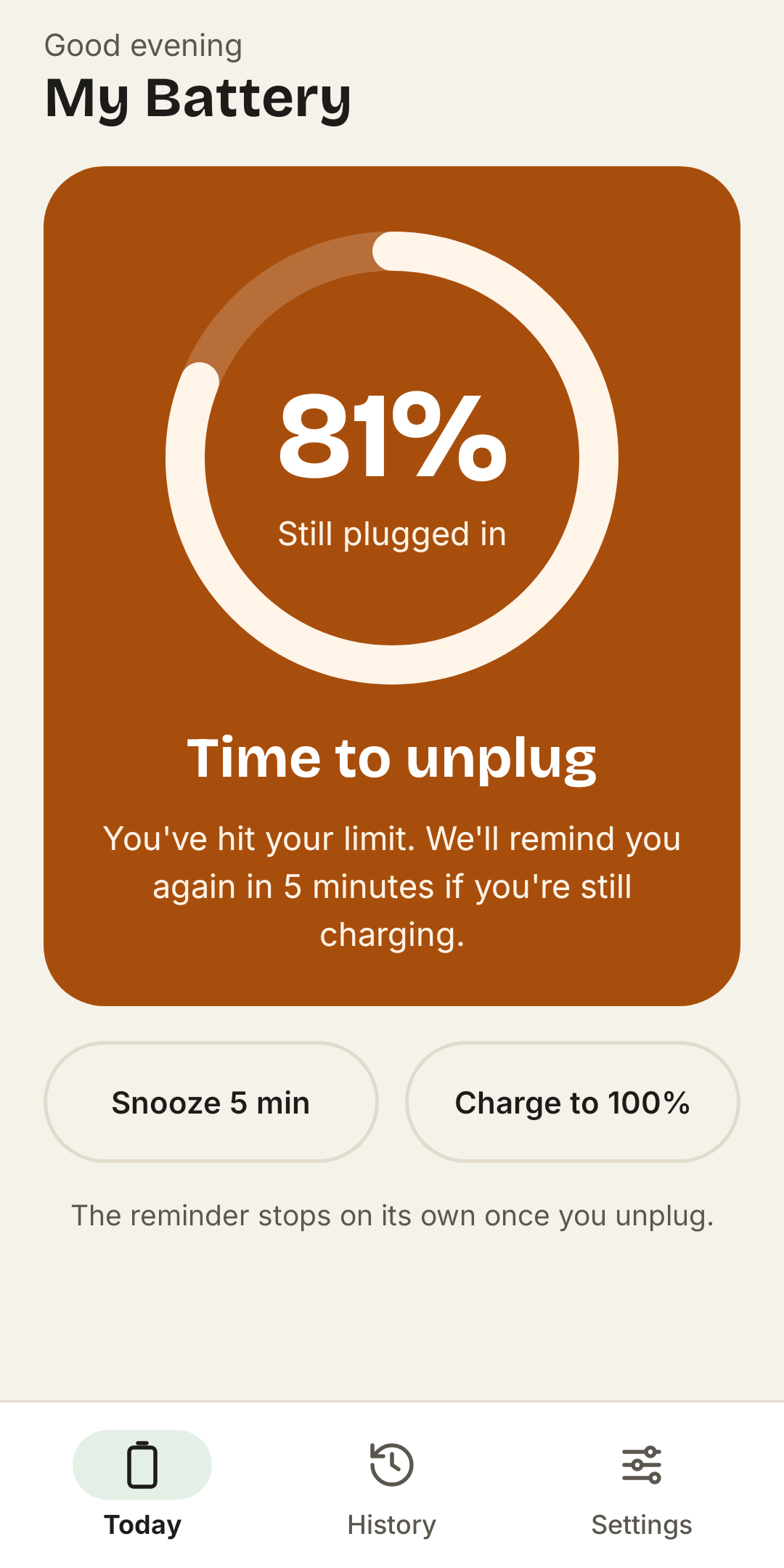
A sound, a buzz, and a full-screen reminder if you want one, the moment your phone reaches 80%, or the limit you pick.
Snooze, or 100% this time
Not ready to unplug? Snooze for a few minutes. Long day ahead? Charge to 100% just this once, and it goes back to your limit next time.
Quiet at night
Quiet hours keep the night calm: a silent note, a softer nudge, or nothing at all, your choice.
Widgets for your home screen
A ring with your level and limit, or a slim strip with a Charge to 100% button while it charges.
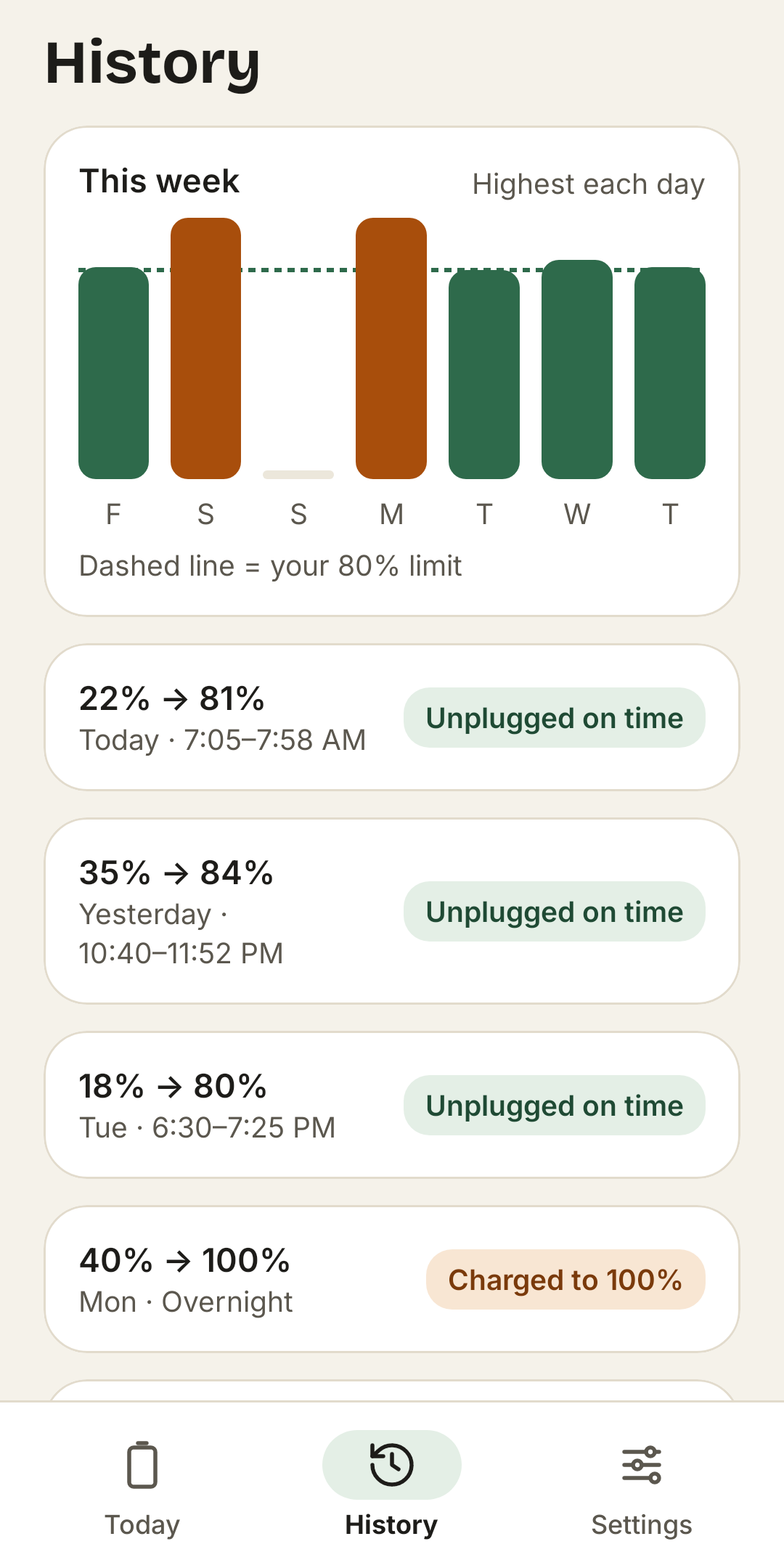
A week at a glance
See how high each charge went and how often you unplugged near your limit. Kept on your phone for a year.
Works with your phone's own limit
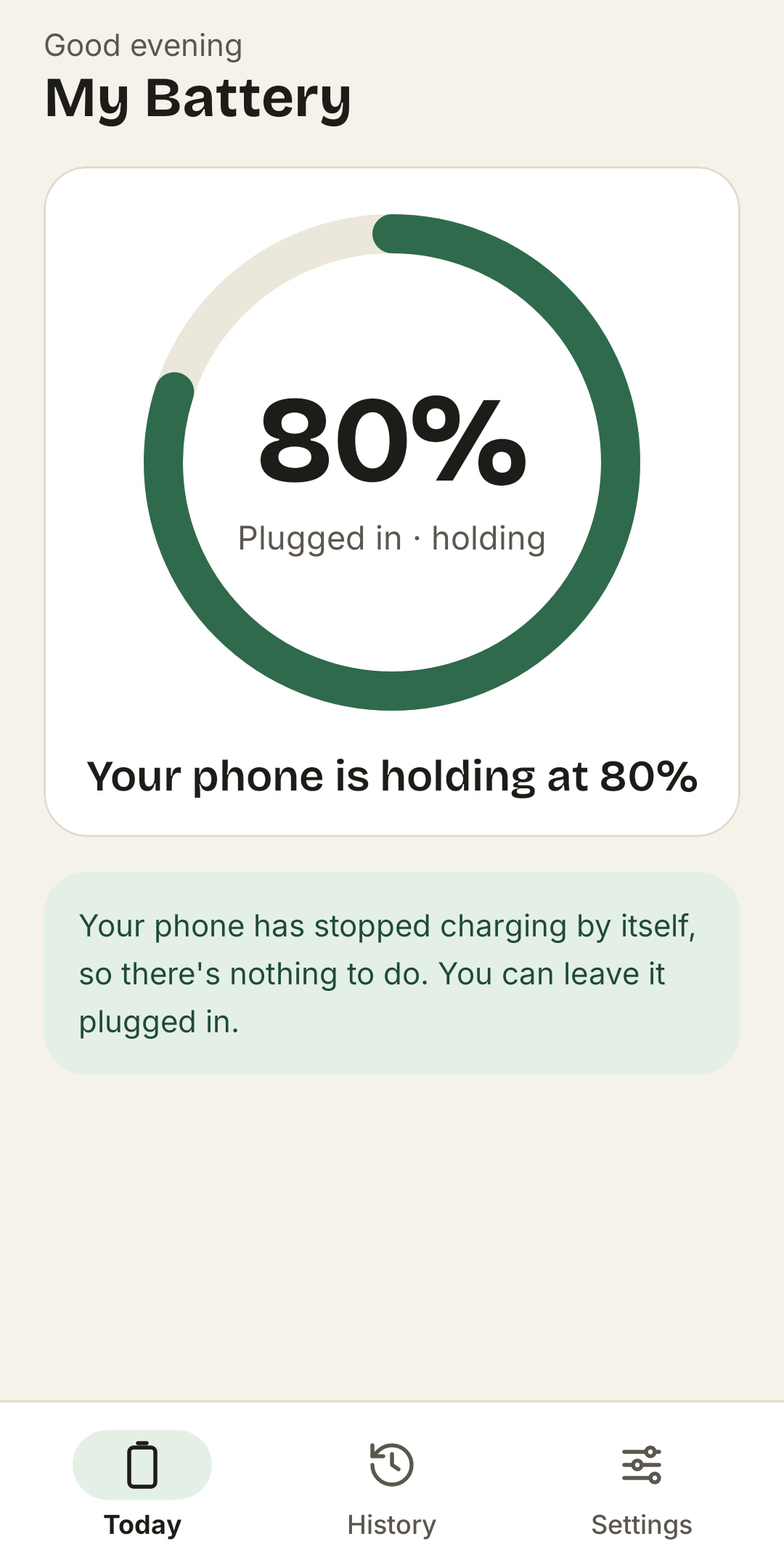
If your phone already stops at 80%, My Battery notices it holding there and stays quiet.
How it works
Three small steps.
Plug in
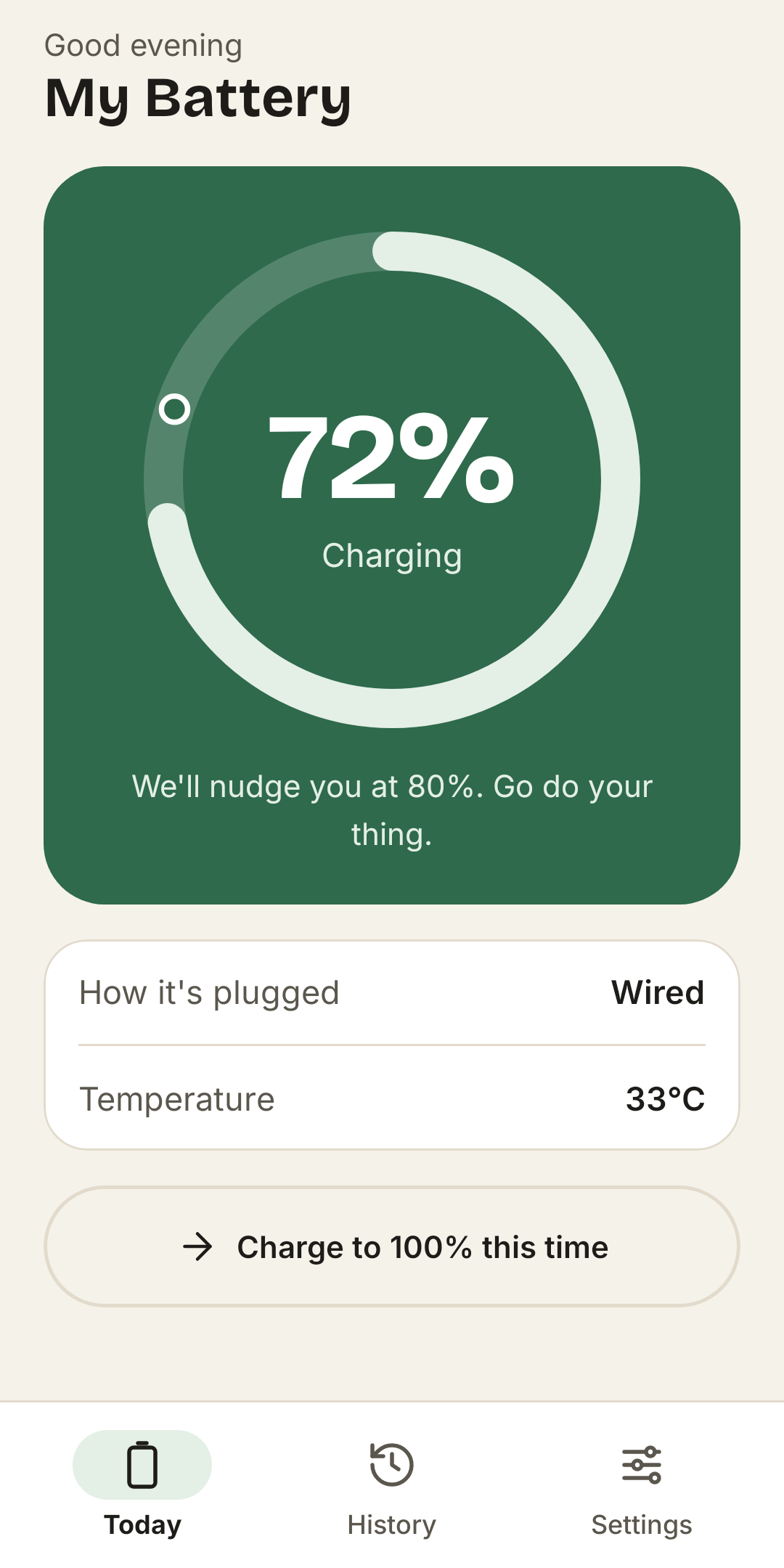
My Battery starts watching by itself, with a quiet note while it charges and how long until your limit.
Get a gentle nudge
At your limit you hear your chosen chime. Snooze it, or charge to 100% this time.
Unplug
The reminder stops the moment the cable comes out, and the charge goes into your week.
A look inside
Calm in light and dark.
Your phone can help too
Many phones can stop at 80% themselves.
Android does not let apps switch charging off, so My Battery reminds you instead. Many phones have a limit built in. Turn it on if yours does: your phone then holds at 80%, and My Battery simply tells you there is nothing to do.
Menu names change between phones and versions. My Battery shows the steps for your phone under Settings > Background watching.
Where to look
- Google Pixel: Settings > Battery > Charging optimization, then Limit to 80%.
- Samsung Galaxy: Settings > Battery > Battery protection (or Protect battery), then Maximum 80%.
- OnePlus, Oppo, Realme: Settings > Battery > Battery health or Optimized charging. Some models can stop at 80%.
- Xiaomi, Redmi, Poco: Settings > Battery > look for Optimized charging or Smart charging.
- Motorola: Settings > Battery > Optimized charging or Overcharge protection.
Privacy
Your phone, your business.
My Battery has no internet permission, no account and no servers. Here is the whole story in short; the full privacy policy is in plain words too.
Kept on your phone
- Your limit, sounds, quiet hours and theme
- A year of charge history: levels, times and temperature
- Everything in the app's private storage
Never happens
- No accounts, no sign-up
- No ads, no analytics, no tracking
- No internet permission at all
- No servers: we never see your phone
FAQ
Good questions.
Can My Battery stop charging at 80%?
No app can: Android does not let apps switch charging off. My Battery watches the level and reminds you to unplug. Many phones can stop at 80% by themselves; here is where to look. If yours does, My Battery sees it holding and stays quiet.
Why is there a note while my phone charges?
Android asks any app that keeps running to show a note. Ours is quiet, shows the level and the time to your limit, and goes away when you unplug.
Why does it ask for "Unrestricted" battery use?
So Android lets My Battery start watching by itself when you plug in. Without it, Android may pause the app; you then get a note saying "Tap to watch this charge", and one tap starts it. My Battery only runs while your phone is plugged in.
Will it use much battery?
It runs only while your phone is plugged in and charging, and stops when you unplug. When nothing is charging it does nothing at all, unless you turn on the low battery nudge, which takes a quick look every half hour.
Is 80% right for me?
80% is a good everyday choice. If you need more, pick 85% or 90%. Before a long day, tap Charge to 100% once; the next charge goes back to your limit.
Does it work with wireless charging?
Yes: wired, USB, wireless and docks all count.
Is My Battery free?
Yes. There are no ads, no subscriptions and nothing to buy.
Which phones does it run on?
Android 8.0 (Oreo) and newer.
How do I delete everything?
History > Clear history deletes your charges, and uninstalling deletes the rest. There is nothing to delete anywhere else.
How do I get help or share an idea?
In the app, open Settings > About My Battery > Send feedback, or write to hello@onelifestack.com.
Still stuck? Contact support.
About
Made by OneLifeStack.
My Battery is one of the small, private apps in OneLifeStack, a family of tools built around one idea: your information belongs on your own devices, and tools should be calm to use.